
Download vJoy – keyboard to joystick, gamepad emulator, PC gaming, joystick driver, virtual joystick, gaming utility, input converter, controller emulator
Overview
vJoy is a specialized utility designed for PC gamers seeking to expand their input options without purchasing additional hardware. By converting keyboard and mouse inputs into joystick or gamepad signals, vJoy bridges the gap between standard peripherals and games that require dedicated controllers. This functionality is particularly valuable for simulation games such as flight or racing simulators, where precise analog control is essential. The app serves as a virtual joystick driver, enabling users to emulate a wide range of controller types, thereby enhancing compatibility with legacy and modern titles alike.
Target users include budget-conscious gamers, simulation enthusiasts, and developers testing controller inputs. Its open-source nature, combined with a free licensing model, makes it accessible to a broad audience. The developer, vJoy, has positioned the tool as a lightweight yet powerful solution for input redirection, fostering community-driven improvements through transparency in code. Although specific developer background details are not provided, the project’s longevity and active community support suggest reliability and sustained development.
Real-world use cases include adapting keyboard-only games for analog stick control, enabling multiplayer setups with limited hardware, or allowing users with physical disabilities to customize input mappings for better accessibility. In the broader app ecosystem, vJoy fills a niche gap in PC gaming tools by offering a low-cost, high-flexibility input conversion layer. It empowers users to customize their gaming environment without relying on proprietary hardware, reinforcing its role as a foundational utility in the PC gaming toolkit.
Key Features & Functionality
- Keyboard and Mouse to Joystick Conversion: vJoy enables real-time mapping of keyboard keys and mouse movements to virtual joystick axes and buttons, allowing standard input devices to emulate gamepad functionality.
- Virtual Joystick Driver Support: The software installs a virtual joystick device recognized by Windows, making it appear as a physical controller to compatible games and applications.
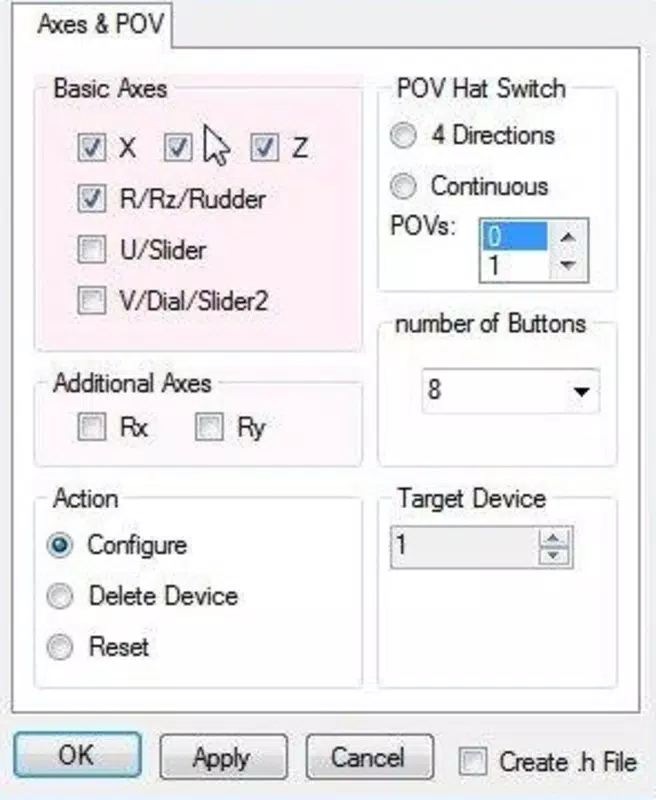
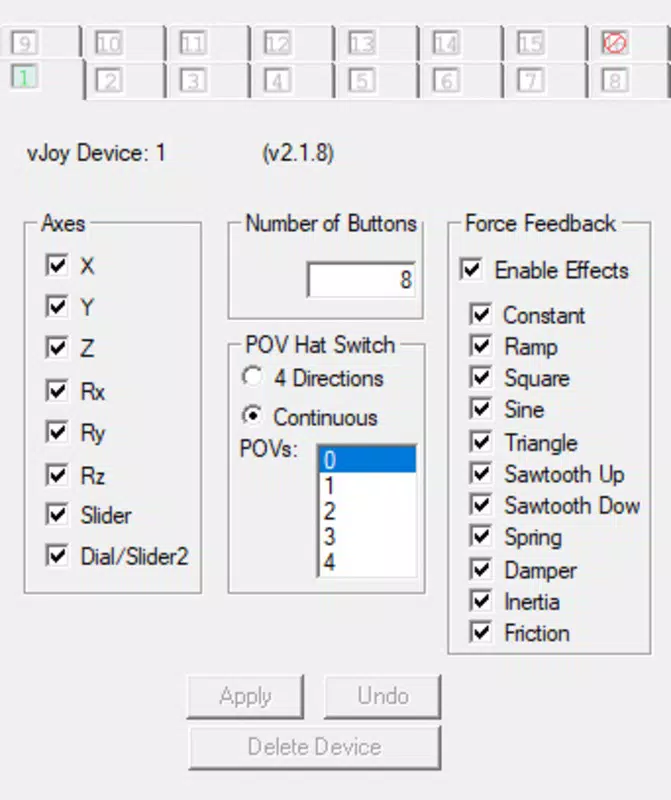
- Customizable Input Mapping: Users can define button assignments and axis sensitivity through configuration tools, enabling personalized control schemes tailored to specific games or playstyles.
- Open-Source & Free Access: As a free and open-source project, vJoy allows users to inspect, modify, and contribute to its codebase, promoting transparency and collaborative development.
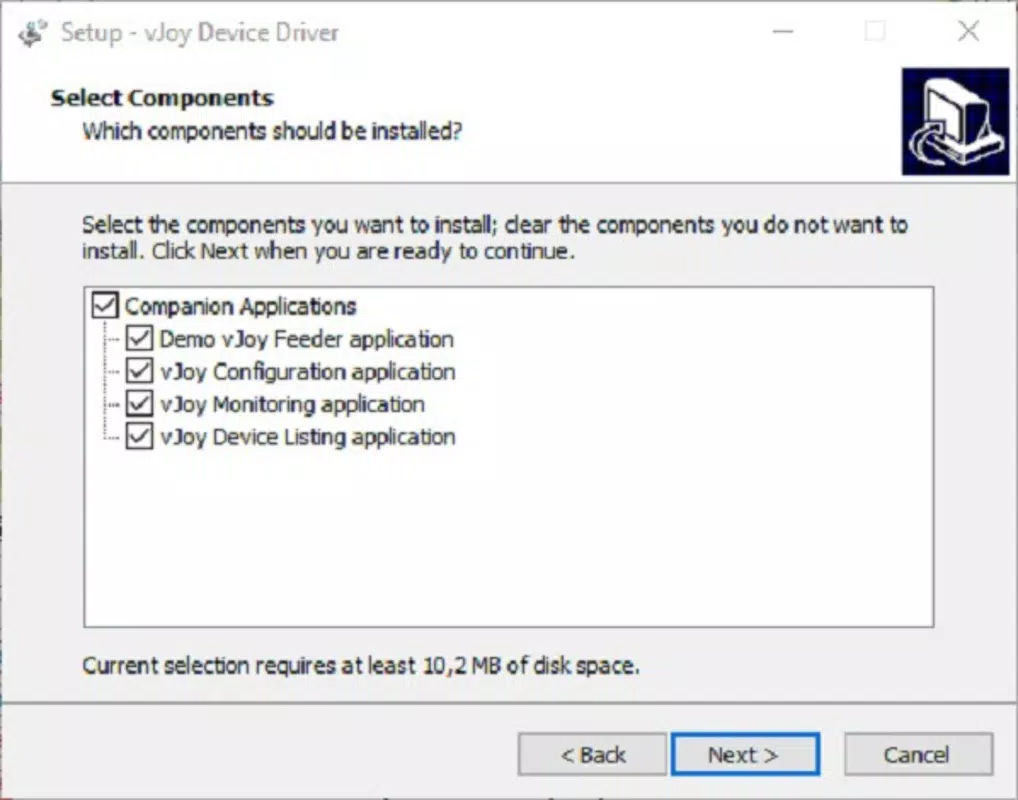
- Integration with vJoy Feeder and Management Tools: Optional companion applications provide enhanced control, including real-time monitoring of joystick states, configuration presets, and device listing for troubleshooting.
For example, a user playing a flight simulator can map WASD keys to pitch and roll controls while using mouse movement for yaw, effectively turning their keyboard and mouse into a full analog flight stick. Similarly, a racing game player can assign arrow keys to throttle and brake while using mouse tilt for steering. These use cases demonstrate how vJoy enhances accessibility and flexibility in gaming environments where hardware limitations exist.
Interface, UX & Performance
The user interface of vJoy is minimalistic and primarily managed through the Windows Device Manager, which serves as the central hub for device configuration. This approach reduces visual clutter and streamlines access to core settings, though it may require users unfamiliar with system-level tools to navigate the interface. The absence of a dedicated GUI for core functions suggests a focus on technical users rather than casual audiences.
Navigation is straightforward once the virtual device is recognized, with options to adjust axis ranges, button mappings, and device status. The responsiveness of the input conversion is generally consistent, though performance may vary depending on system load and background processes. Although the developer did not list formal performance metrics, users can expect low-latency input transmission under typical gaming conditions.
Stability appears to be a strength of the tool, with the software maintaining consistent device recognition across reboots and game sessions. However, the installation process involves driver setup, which may introduce minor delays. Users should ensure they have administrative privileges to complete the installation successfully. Compatibility with different device categories is not explicitly detailed, but the software functions across standard Windows systems with appropriate drivers.
Platform Compatibility & Technical Requirements
vJoy is designed exclusively for the Windows platform and requires a compatible Windows operating system. The software version is 2.1.2, with a file size of 2.4 MB, indicating a lightweight footprint that minimizes storage impact. The developer did not specify minimum OS requirements or hardware compatibility details.
Given its nature as a driver-based utility, vJoy relies on Windows’ native driver architecture and may require elevated permissions during installation. Users should verify that their system supports driver installation and that security software does not block unsigned drivers. The app is available as a downloadable installer, suitable for both personal and professional use.
Pros and Cons
Pros
- Free and open-source, allowing unrestricted access and community contributions.
- Enables keyboard and mouse to function as a gamepad, reducing hardware dependency.
- Supports a wide range of games requiring analog input devices.
- Lightweight with minimal system resource usage.
- Offers customizable input mapping for personalized control schemes.
Cons
- Installation involves driver setup, which may be unfamiliar to non-technical users.
- Configuration is primarily managed through Windows Device Manager, limiting GUI-based accessibility.
- Companion tools are optional, requiring separate downloads for full functionality.
- Specific system requirements and compatibility details were not disclosed.
- May require administrative rights for installation and operation.
FAQ
Is vJoy safe to download and use?
vJoy is a free and open-source tool developed by a recognized community project. It does not contain malware or ads. However, users should download it only from official sources to ensure authenticity.
Can I use vJoy with any game?
vJoy works with any game that supports standard gamepad or joystick input. Compatibility depends on the game’s input recognition rather than vJoy itself.
Do I need to install additional tools with vJoy?
While the core functionality is included, optional tools like vJoy Feeder and Configuration App enhance usability. They are not required but recommended for advanced control.
Is vJoy compatible with Windows 10 and Windows 11?
Although specific compatibility details were not provided, vJoy is designed for Windows and is known to function on recent Windows versions. Users should verify system compatibility during installation.
How do I update vJoy?
Updates are released periodically by the developer. Users should check the official website or repository for the latest version to ensure access to new features and security patches.
Final Thoughts
vJoy stands out as a powerful, cost-free solution for gamers seeking to repurpose their keyboard and mouse as a gamepad. Its ability to emulate a wide range of controller types makes it indispensable for simulation enthusiasts and those with limited hardware. The open-source model ensures long-term sustainability and transparency, while its lightweight design minimizes system impact.
While the setup process may challenge beginners, the benefits far outweigh the initial learning curve. Advanced users and developers will appreciate the flexibility and customization options. For anyone looking to enhance their PC gaming experience without additional expense, vJoy delivers real value.
Download vJoy now


